If your customer outreach, event invites, or sales follow-ups live in a spreadsheet, you're one step away from sending personalized WhatsApp messages to all of them at once. Rocket Sender bridges the gap between Excel and WhatsApp Web — no APIs, no sign-up, and no repetitive manual work.
Step 1 — Install Rocket Sender
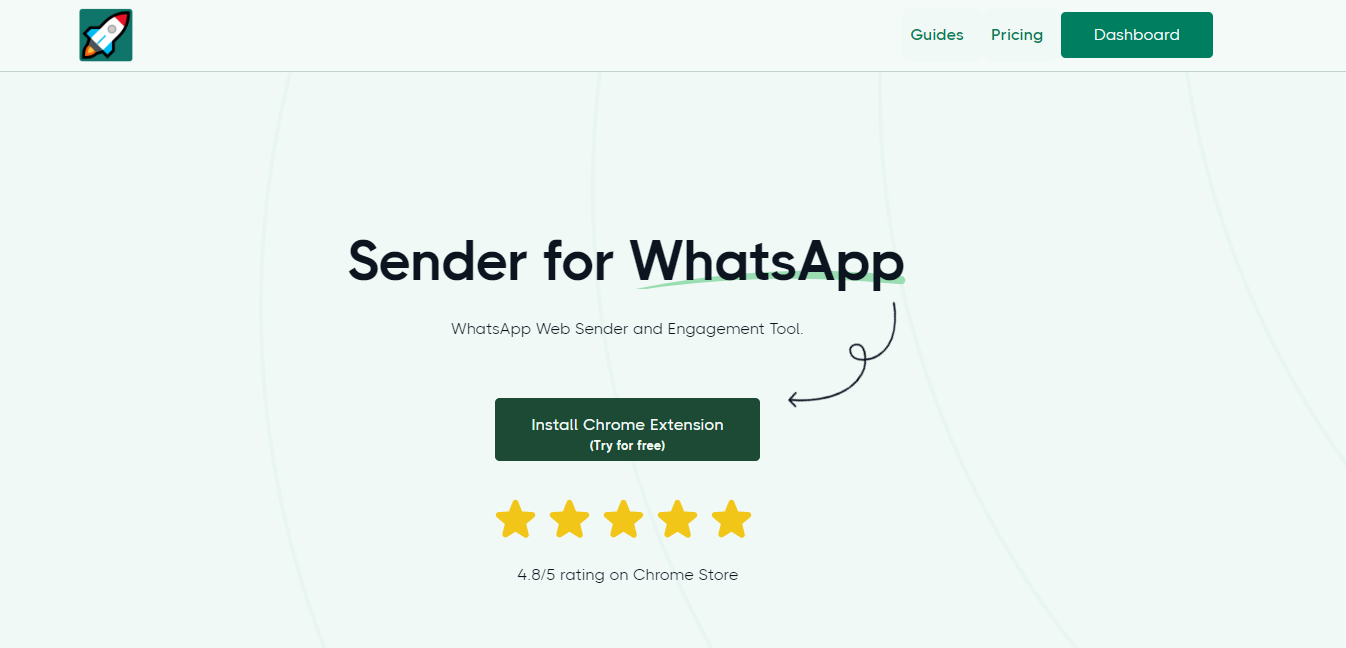
First, install the Rocket Sender Chrome extension. Head to the Chrome Web Store and click Add to Chrome. The install takes under a minute.
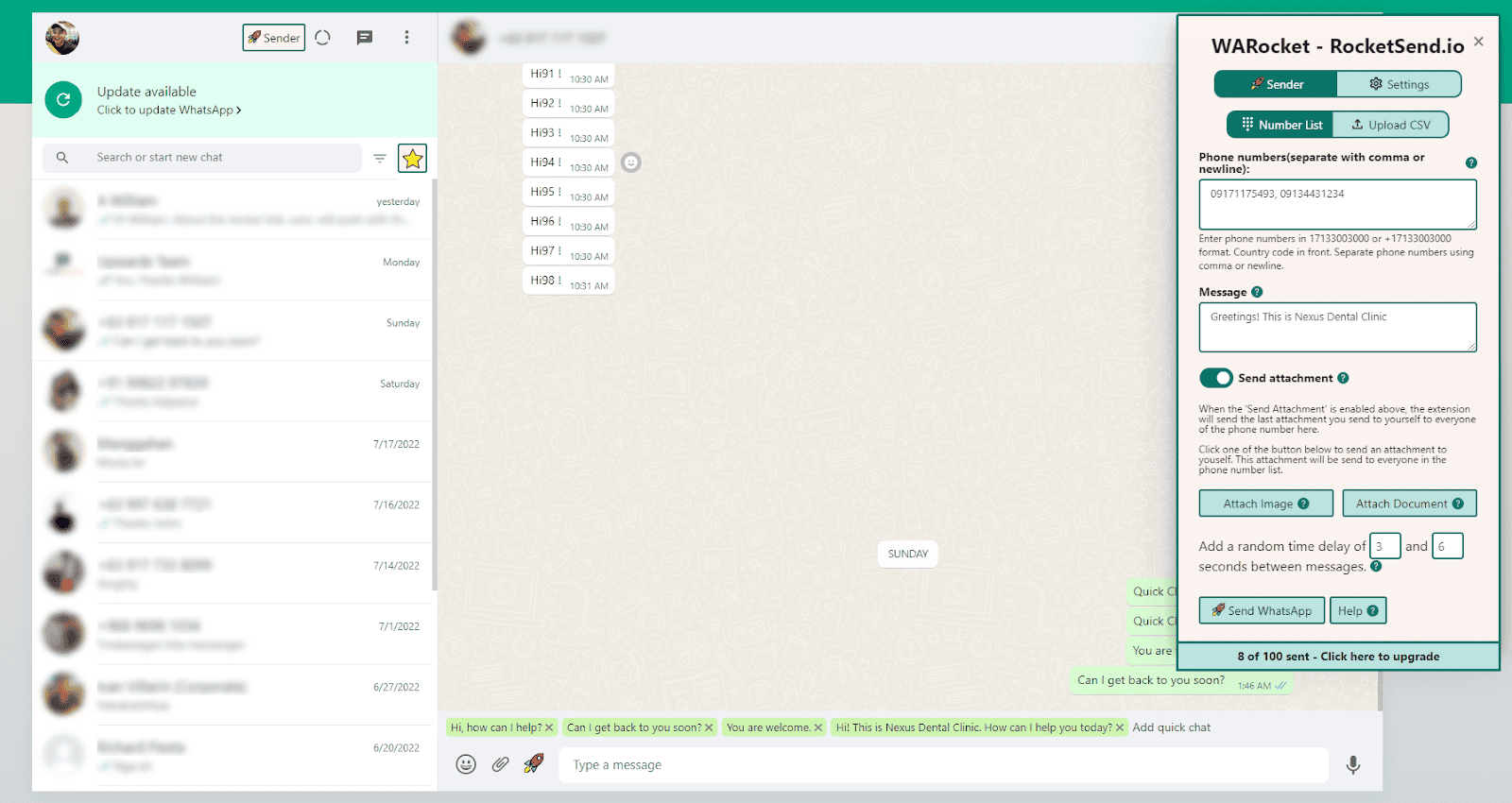
Once it's installed, open WhatsApp Web and scan your QR code as normal. The Rocket Sender panel will appear in the upper-right corner of the page, ready to use.
Step 2 — Prepare Your Spreadsheet
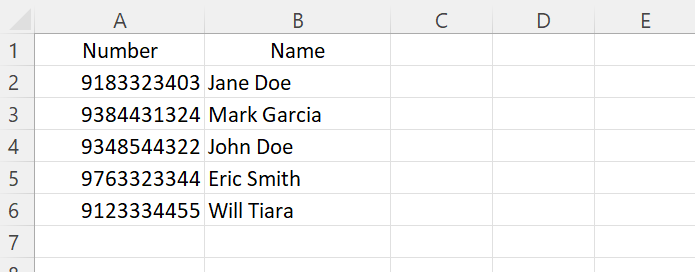
Open Excel (or Google Sheets) and set up your contact file. At a minimum you need a column for phone numbers. The real power comes when you add extra columns — Name, Company, City, or whatever custom fields you want to personalize each message with.
Make sure every number includes its international country code (e.g. +14155552671). A missing country code is the most common reason messages fail to send.
Step 3 — Export as CSV
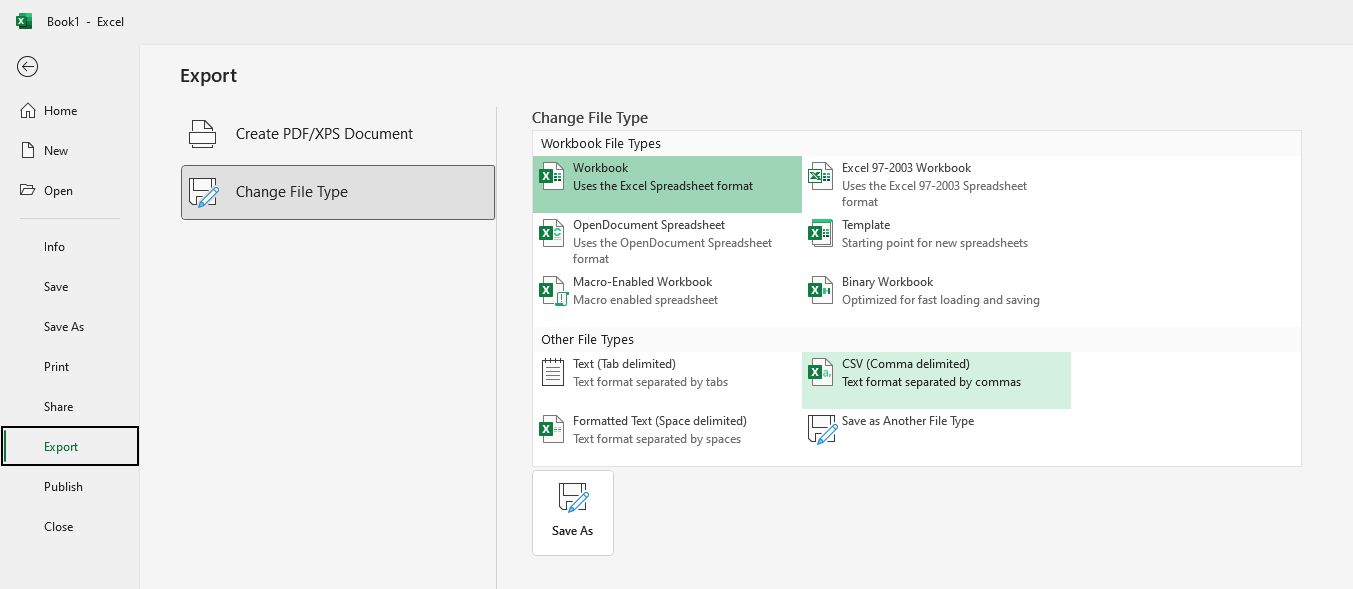
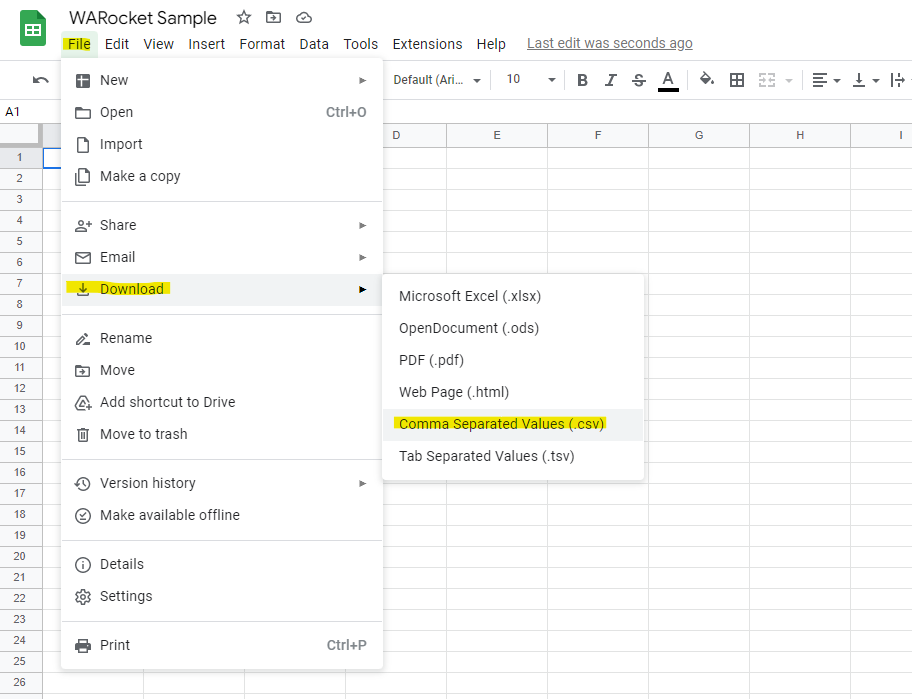
Rocket Sender imports CSV files. In Excel, go to File → Save As and choose CSV (Comma delimited). In Google Sheets, use File → Download → Comma-separated values (.csv). Keep the file somewhere easy to find.
Step 4 — Import the CSV into Rocket Sender
Back in WhatsApp Web, click Upload CSV inside the Rocket Sender panel and select the file you just saved. Your contacts will load instantly — no waiting, no processing delays.
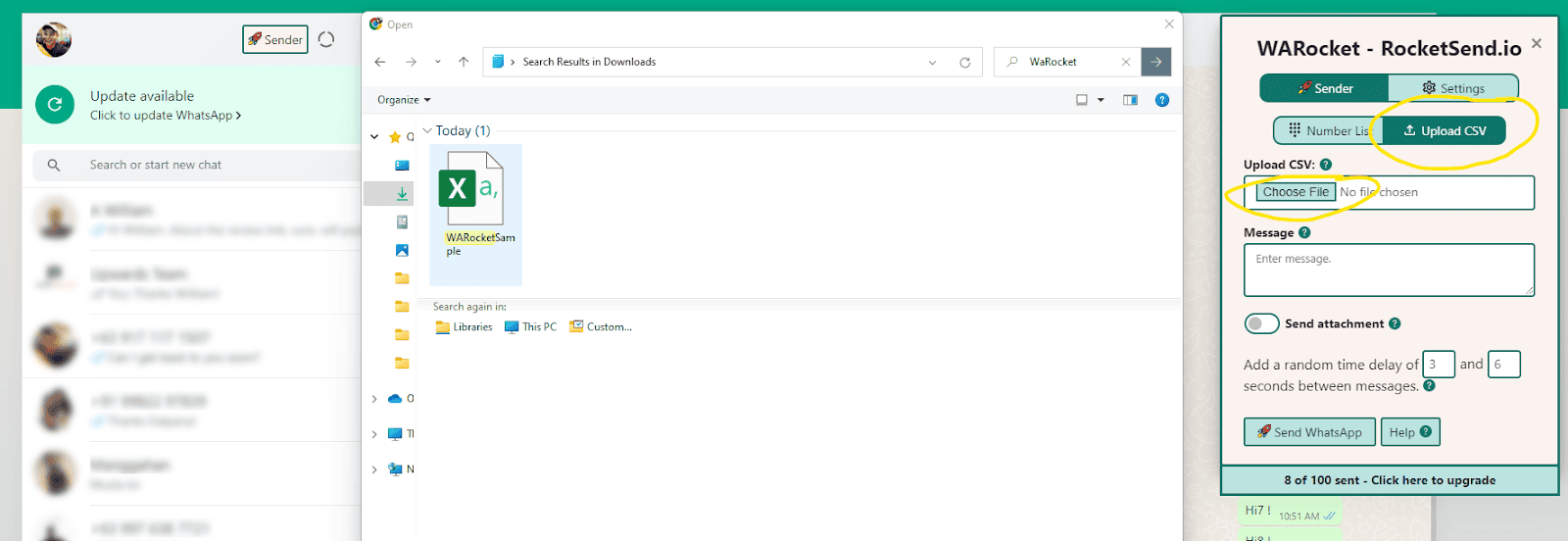
After uploading, Rocket Sender will ask you to identify which column contains your phone numbers. Select the right column and confirm.
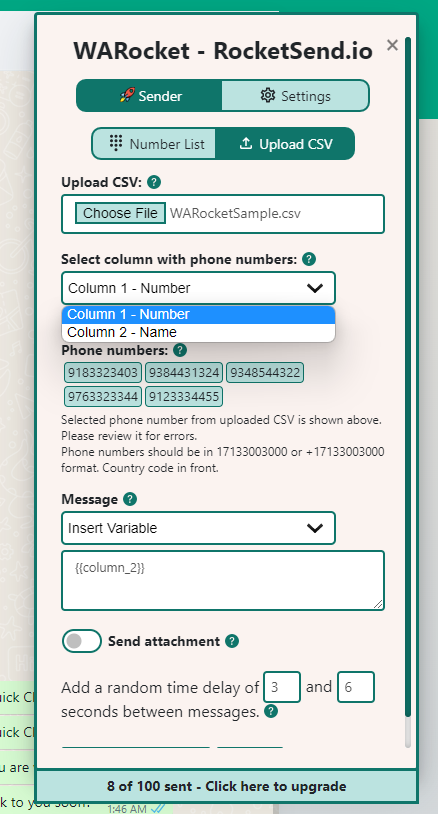
Step 5 — Write a Personalized Message
Type your message in the message box. To include a personalized value from your spreadsheet, click Insert Variable and pick the column — for example, Name. Rocket Sender inserts it as {{Name}} and swaps it for each contact's actual name before sending. Every recipient gets a message that reads like it was written just for them.
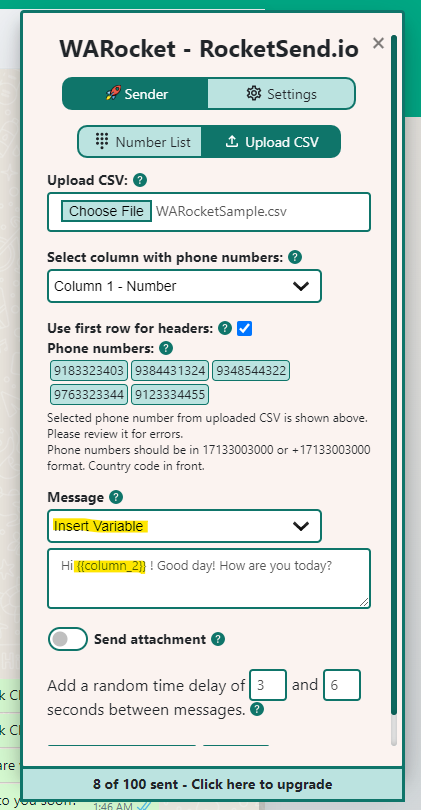
Step 6 — Hit Send
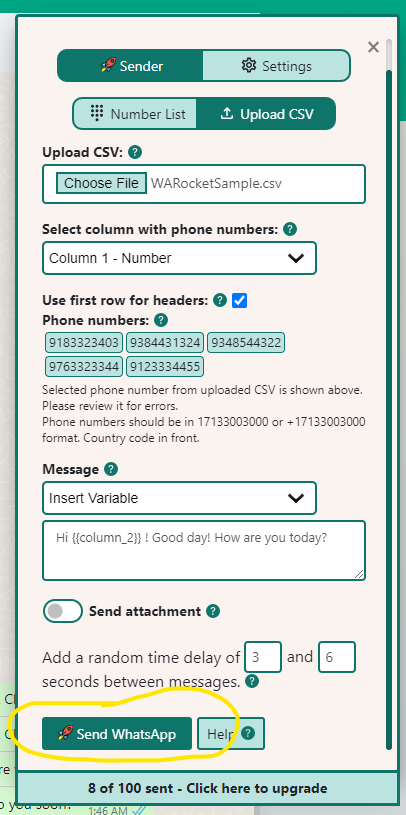
When your message looks right, click Send WhatsApp. Rocket Sender dispatches each message through your own connected WhatsApp account, with smart delays between sends to keep your account protected from being flagged. Watch the live delivery panel as messages go out in real time.
Don't have Excel? Google Sheets works identically. Just download your sheet as a CSV file and follow the exact same steps above.
Video Walkthrough
Wrapping Up
Sending personalized WhatsApp messages from a spreadsheet once required expensive API integrations and a developer. With Rocket Sender, the entire flow — upload, personalize, send, track — runs in minutes directly inside WhatsApp Web. Your contacts each get a message that feels individual; you send them all at once.
Ready to run your first campaign? Install Rocket Sender for free and send in under 60 seconds.