WhatsApp is the most widely used messaging platform on the planet. But there's a well-known friction point baked into how it works: to start a new conversation, the app expects you to save the person's number first — then wait for the sync to catch up.
For personal use, that's an inconvenience. For business outreach to leads, customers, or prospects you've never contacted before, it's a genuine bottleneck. The two methods below cut straight through it.
Method 1 — The wa.me Link
WhatsApp provides a short link format — wa.me — that opens a direct chat with any phone number, right in your browser or mobile app. No saving, no syncing required. Here's how to use it:
- Open any browser and navigate to:
https://wa.me/cccxxxxxxxxxx— replacingcccwith the country code andxxxxxxxxxxwith the number (no spaces, no + sign, no dashes). - For example, to reach a US number (+1) 415 555 2671, the URL would be:
https://wa.me/14155552671 - The page will show a prompt to Continue to Chat, which opens WhatsApp Web or your mobile app.
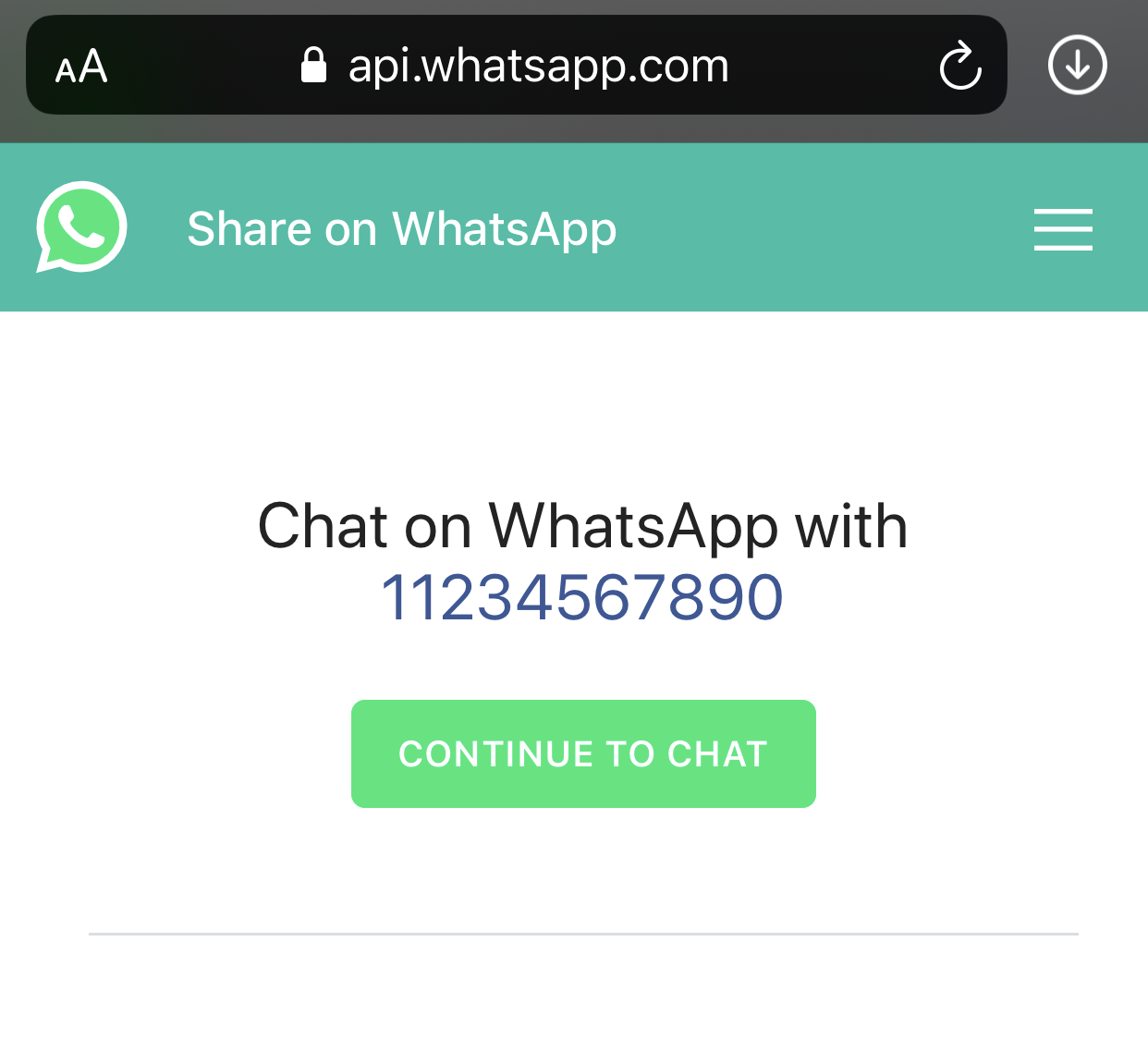
- A chat window opens and you can type your message straight away. If the number isn't on WhatsApp, the app will let you know.

The wa.me method is ideal for one-off messages. When you need to reach dozens or hundreds of unsaved contacts, Method 2 is far more efficient.
Method 2 — Rocket Sender Chrome Extension
Rocket Sender is a Chrome extension that places a messaging panel directly inside WhatsApp Web. It lets you send to any number — saved or unsaved — without leaving your browser. It also supports bulk sends to hundreds of contacts from a CSV file, with personalized messages per recipient.
Here's how to get started:
- Go to the Chrome Web Store and click Add to Chrome. Installation takes about 30 seconds.
- After installing, open WhatsApp Web and scan your QR code as usual. The Rocket Sender panel will appear in the top-right corner of the page.
- Click the Sender button to open the messaging panel.

- In the panel, enter the phone number you want to message in the Phone Numbers field. Include the country code but no + sign or spaces.
- Write your message in the Message field.
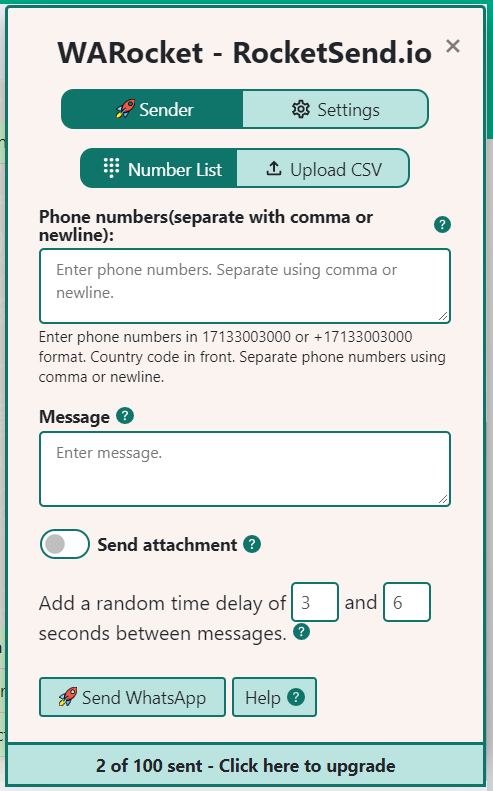
- Click Send WhatsApp. The message goes out instantly through your connected WhatsApp account.
Rocket Sender goes well beyond single sends. Upload a CSV to reach hundreds of contacts at once, attach images or documents, use personalized variables like {{Name}} per recipient, and track delivery status live — all without ever touching a contact list.
Need to send to a larger list? Read the guide on sending WhatsApp messages from an Excel sheet for the full step-by-step workflow.